
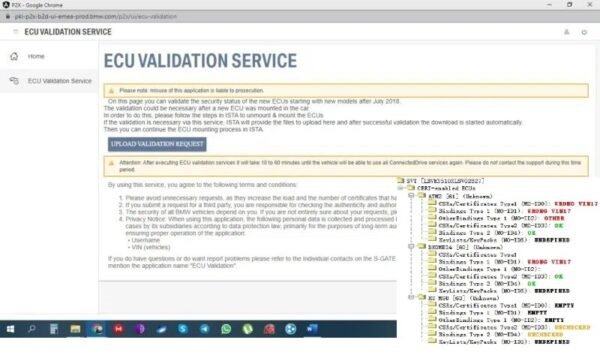


BMW ECU Validation Service for MGU, ATM2, and Dkombi4
Modern BMWs with the Headunit HU-H3 (MGU) feature a new security protocol. Replacing key components like the MGU, TCB (ATM2), Rear Seat Entertainment (RSE), or a KOMBISP18 instrument cluster (Dkombi4) requires a new electronic certificate from BMW to re-establish secure communication. Our BMW ECU Validation service provides this essential certificate.
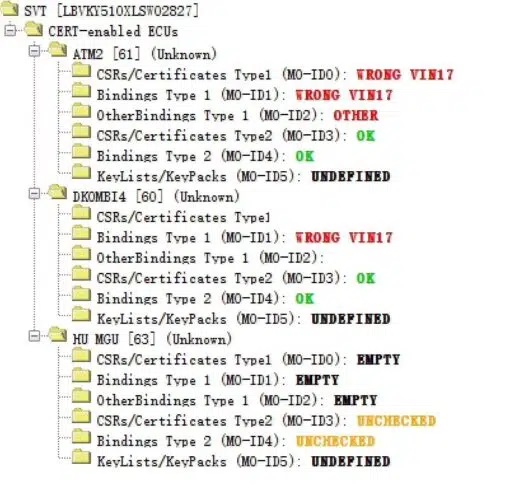
How to Order and Apply ECU Validation
- Order by VIN: Provide your Vehicle Identification Number (VIN).
- Receive Certificate: We email the validation file within 30 minutes to 2 business hours.
- Import the File: Use ISTA+ or Esys to import the certificate into the vehicle. Remote support is available.
Modules Requiring ECU Validation After Replacement
- MGU (iDrive 7 Head Unit)
- ATM2 (TCB Telematics Communication Box)
- RSE (Rear Seat Entertainment)
- Dkombi4 (KOMBISP18 Instrument Cluster)
Step-by-Step Guide: Importing via ISTA+
1. In ISTA+, go to Vehicle Management > Control Unit Exchange.
2. Select the new control unit under the “After” tab and calculate the measures plan.
3. ISTA+ will generate a ValidationRequest_VIN_xxx.json file. Save it.
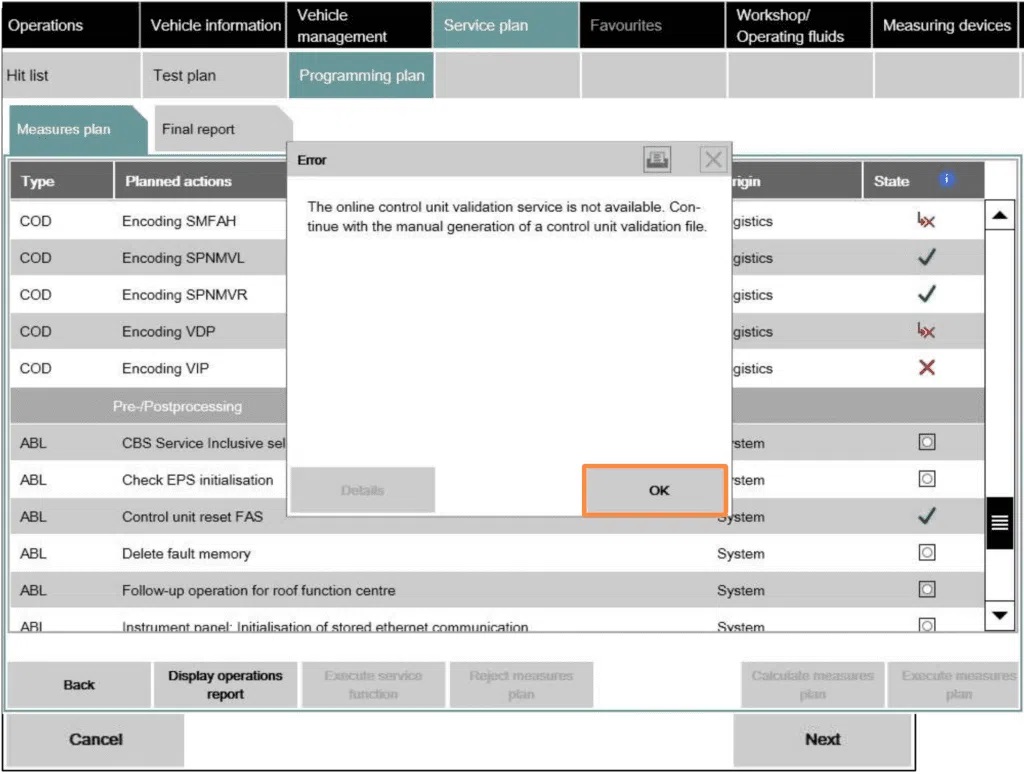
4. We use this file to create your validation certificate.
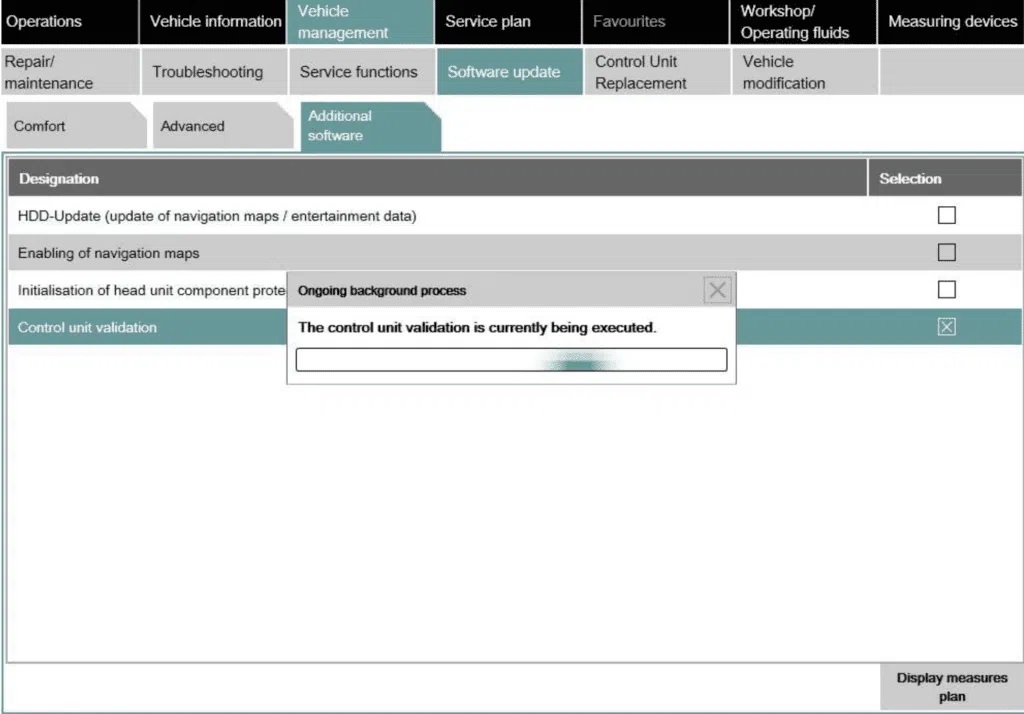
5. In ISTA+, navigate to Additional Software > ECU Validation.
6. Select the Import control unit validation file manually and load the ...response.json file we provided.
7. The certificate is written to the vehicle, completing the validation process.
Our BMW ECU Validation service is the trusted solution for dealerships and independent shops worldwide.
Be the first to review “ECU Validation Service for BMW MGU ATM2 Dkombi4”
You must be logged in to post a review.
Related products
Uncategorized

Uncategorized

Uncategorized
Uncategorized
Uncategorized
Uncategorized
Reviews
There are no reviews yet.